🇨🇦→🇲🇽 Send Money to Mexico From Canada — The Smart Way
Want to send money to Mexico without getting hit with bank fees and bad exchange rates? Here’s how I do it using Wise funded by a free Interac e-Transfer — with EQ Bank bill pay as the backup for large sums — to keep costs as low as possible.
Why This Combo?
| Feature | Traditional Bank | Wise + Interac e-Transfer |
|---|---|---|
| Funding Fee | ~$25–30 USD | $0 (Interac e-Transfer is free) |
| Exchange Rate | Often 1–3% markup | Mid-market rate (no hidden markup) |
| Funding Speed | 3–5 business days | Minutes to ~30 min (up to 2 business days) |
| Tracking | Email/receipt only | Live transfer status in app |
The trick? Funding Wise the cheapest way possible. Wise now charges $0 to add CAD by Interac e-Transfer, which used to cost around $6. For amounts above your bank’s daily e-Transfer limit, EQ Bank bill pay remains the fallback at a flat $0.31.
Step 1: Create Your Wise Account
- Sign up at wise.com (app or desktop)
- Complete your identity verification (standard KYC): you may need to upload a government-issued photo ID, a proof of address document (e.g., bank statement or utility bill), and sometimes a live selfie to match your ID. Verification is normally required before sending 1,000 CAD or more, or when sending from a Canadian bank account or CAD balance.
Step 2: Fund Wise With Interac e-Transfer — Now Free
Wise now charges $0 to add CAD via Interac e-Transfer. There are two ways to do it:
Option A — Request Money (easiest, no setup):
- Log in to Wise
- Go to your CAD balance
- Click “Add Money”
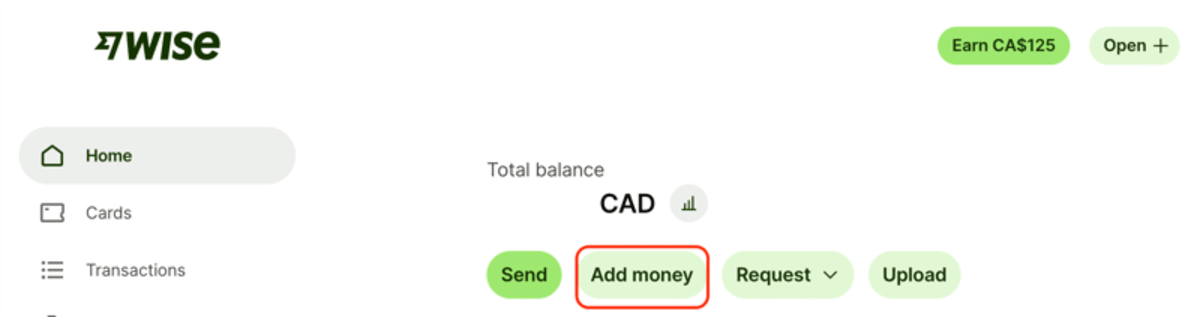
- Enter the amount and select “Interac e-Transfer” as the payment method
- Confirm the email (or phone number) you use for Interac
- Wise sends you an Interac Request Money for the exact amount — approve it in your bank’s app or website
- Done. Funds typically arrive in about 30 minutes (up to 2 business days depending on your bank)
Option B — Autodeposit (set up once, e-Transfer anytime):
- In Wise, open your CAD balance on the web
- Click “Receive” → “Receive with Interac” → “Register email with Interac”
- Complete the registration email from Interac (Wise’s partner is Peoples Trust)
- From then on, anyone — including you from your own bank — can e-Transfer CAD straight to that email and it lands in your Wise balance automatically, usually within 10–20 minutes
⚠️ Important: Your own bank’s daily e-Transfer limit applies when you send (often ~$3,000/day). Wise can receive up to $25,000 CAD per day via Interac — for amounts above your bank’s limit, use the EQ Bank bill pay backup below.
Step 3: Backup for Large Sums — EQ Bank Bill Pay ($0.31)
For amounts above your bank’s Interac e-Transfer limit, EQ Bank bill pay is still the cheapest option at a flat $0.31 CAD fee (Wise’s charge) with a $25,000 per-transaction limit.
If you don’t already have one, open an EQ Bank Savings Plus Account. It’s free, has no monthly fees, and you’ll need a Canadian address and SIN to open.
Get your Wise transfer ID first:
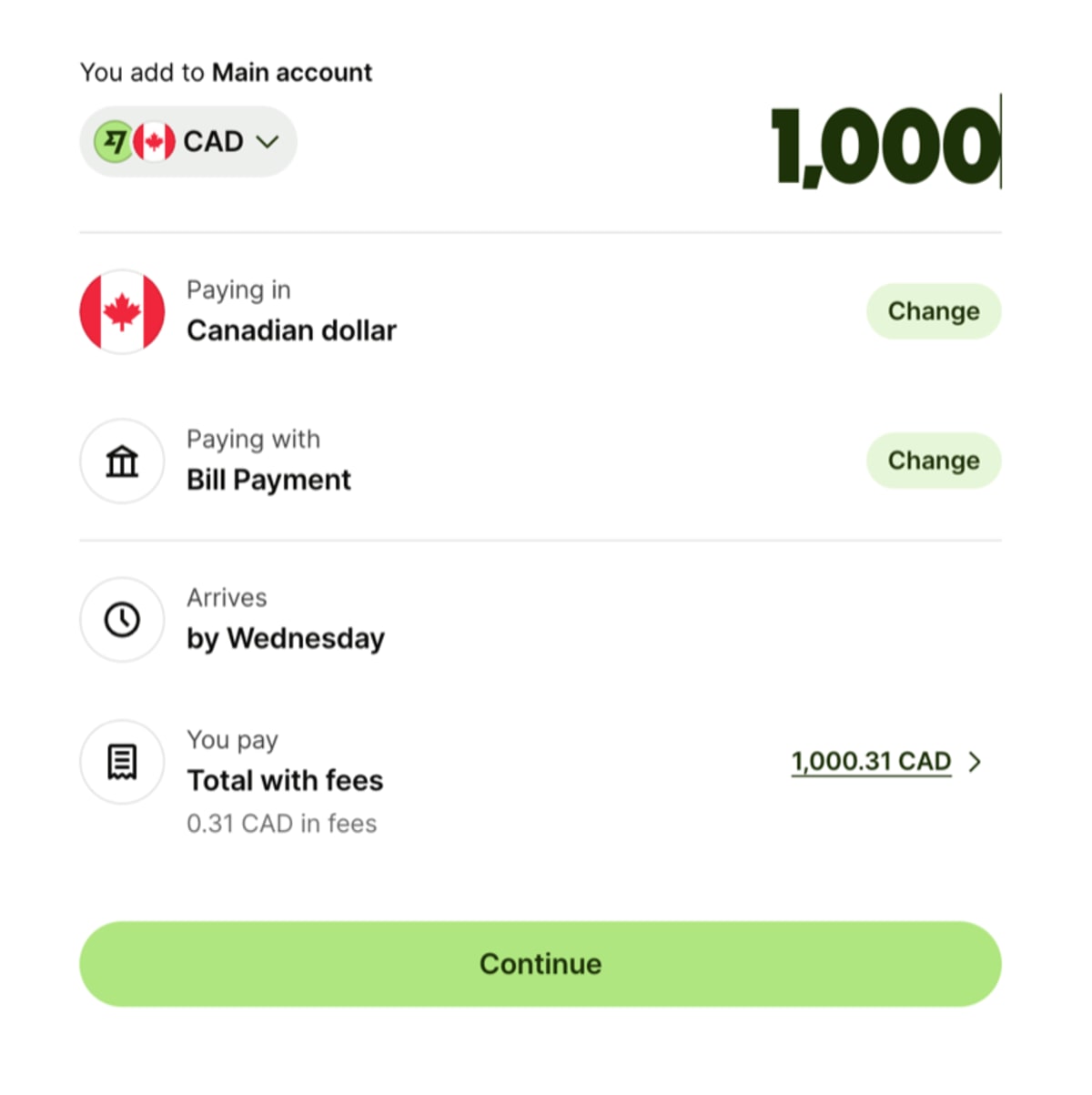
- Log in to Wise → CAD balance → “Add Money” → “Bank Transfer / Bill Pay”
- Enter the amount and select “Bill Payment” as the funding method ($0.31 fee)
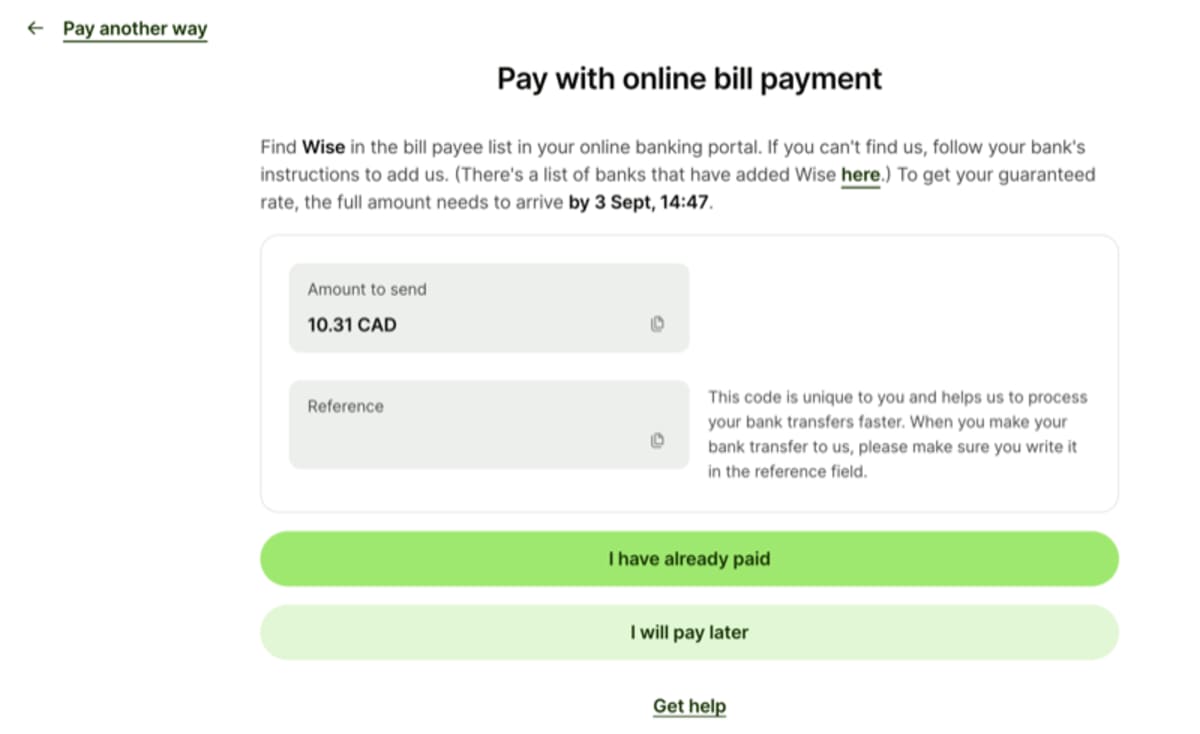
- On the last screen, Wise shows a reference number (e.g.,
P12345678) — this is the account number to use in EQ Bank
Add Wise as a bill payee in EQ Bank:
| Field | What to Enter |
|---|---|
| Bank / Payee Name | Wise |
| Account Number | Your Wise transfer ID, e.g., P12345678 (use your actual number) |
| Reference / Memo | Not needed |
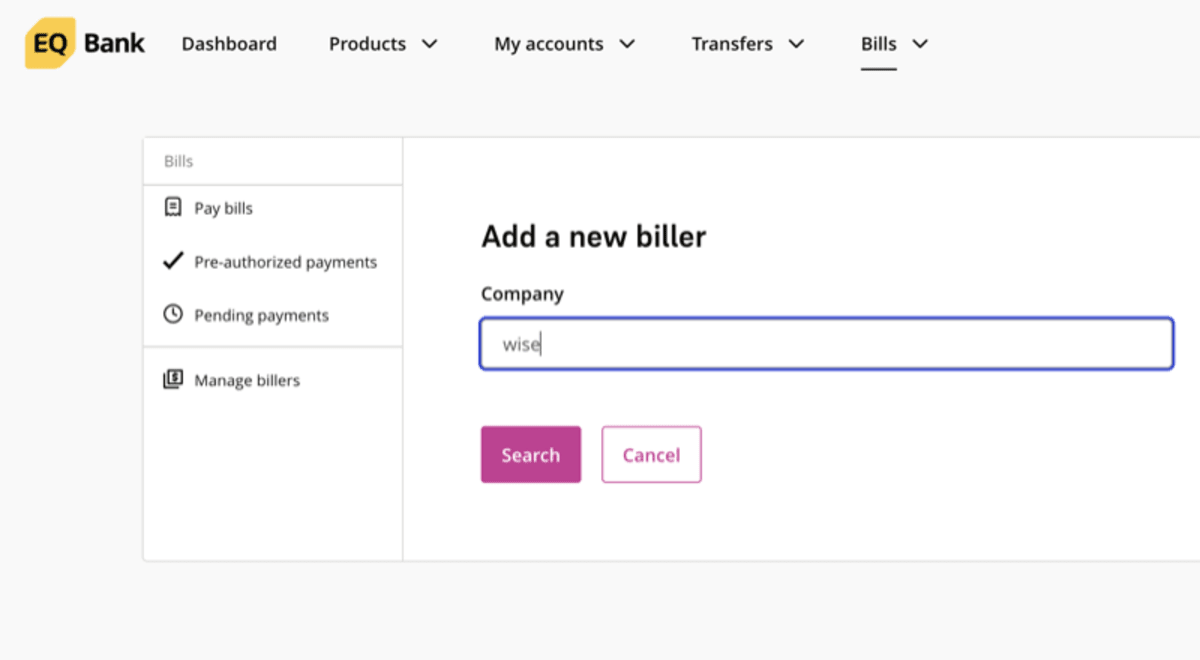
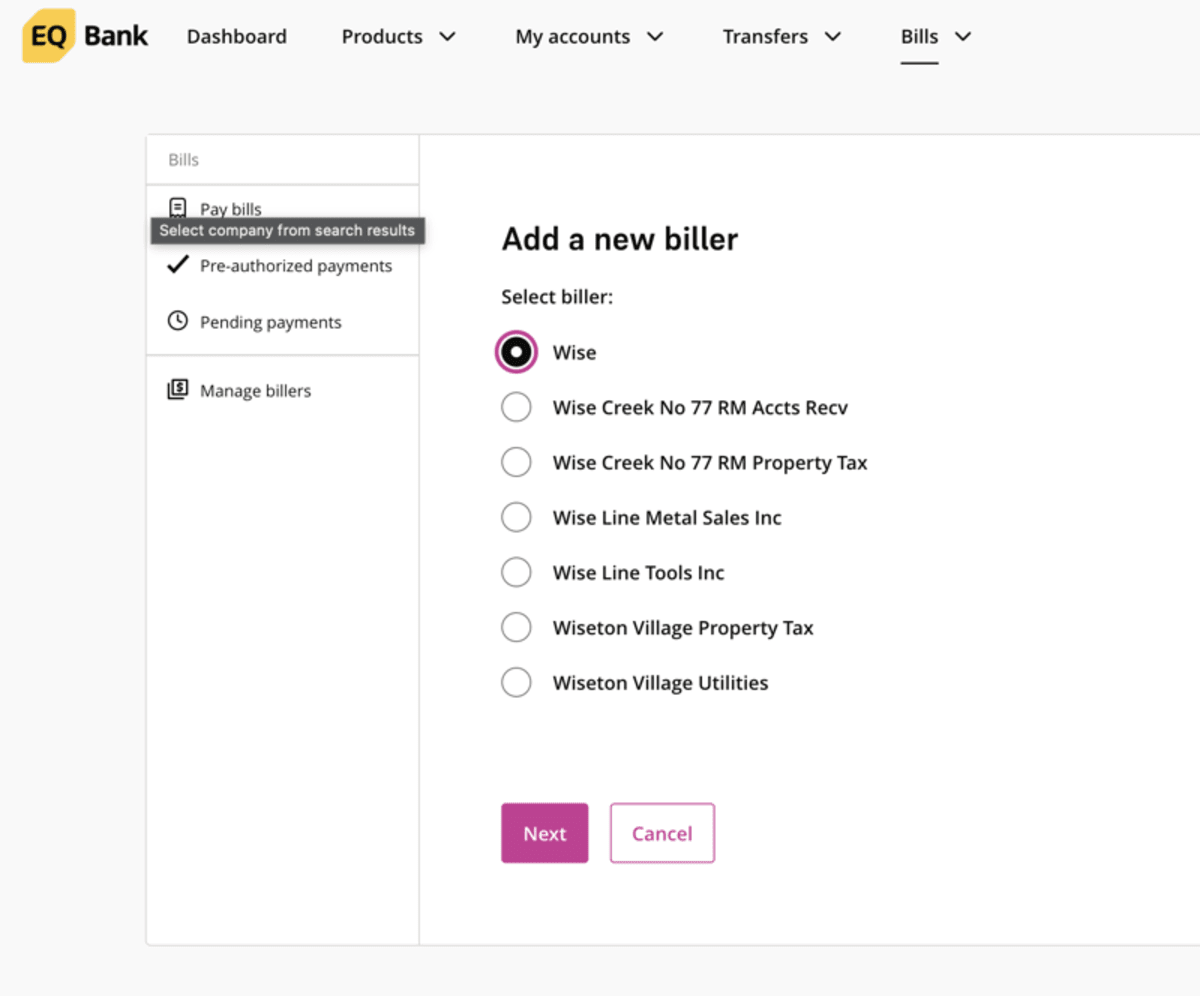
In EQ Bank, go to Bills → Add a new biller and search for “Wise” (not “Wise Creek” or “Wise Line”):
Enter your Wise transfer ID as the account number:
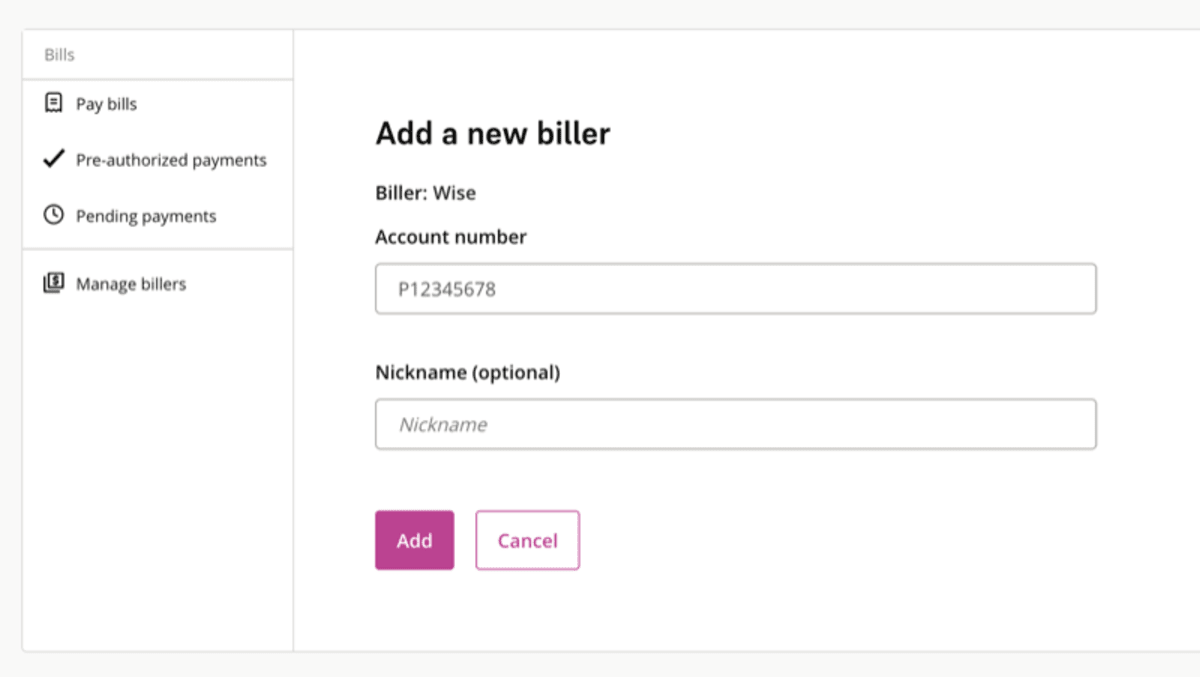
Then pay the bill: Bills → Pay Bills → select Wise → enter the same CAD amount → confirm. EQ Bank charges $0 for bill payments; funds arrive in Wise within 2–3 business days.
Step 4: Send to Mexico
Once the money hits your Wise account, open the Wise app and start from your main CAD account:
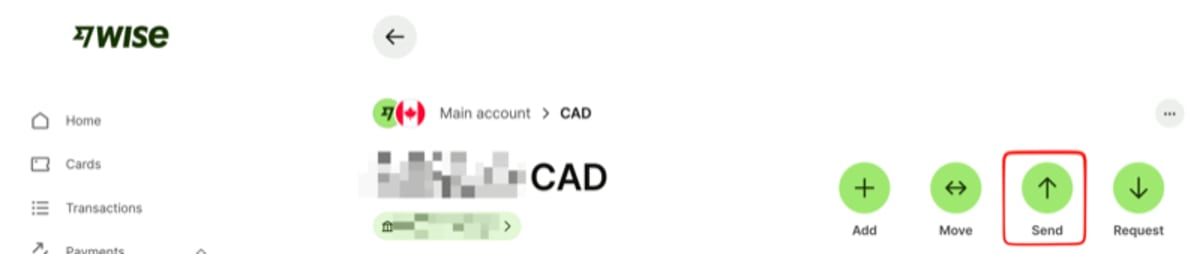
Tap “Send” to start a new transfer:
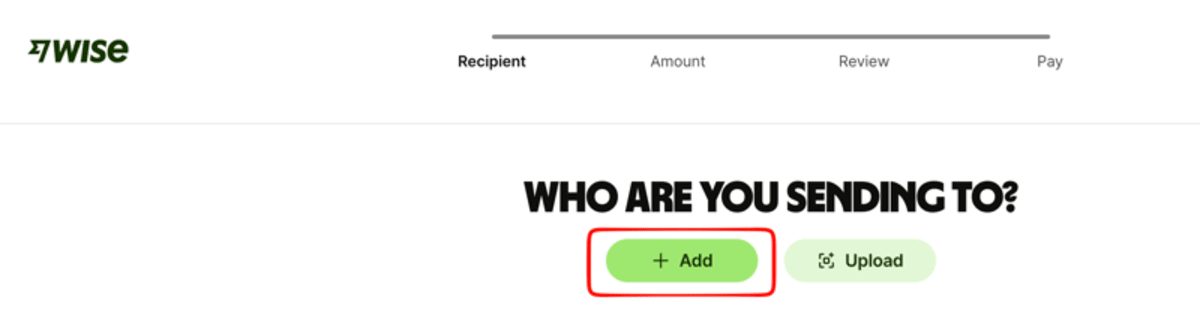
Select the recipient’s currency: Mexican peso (MXN).
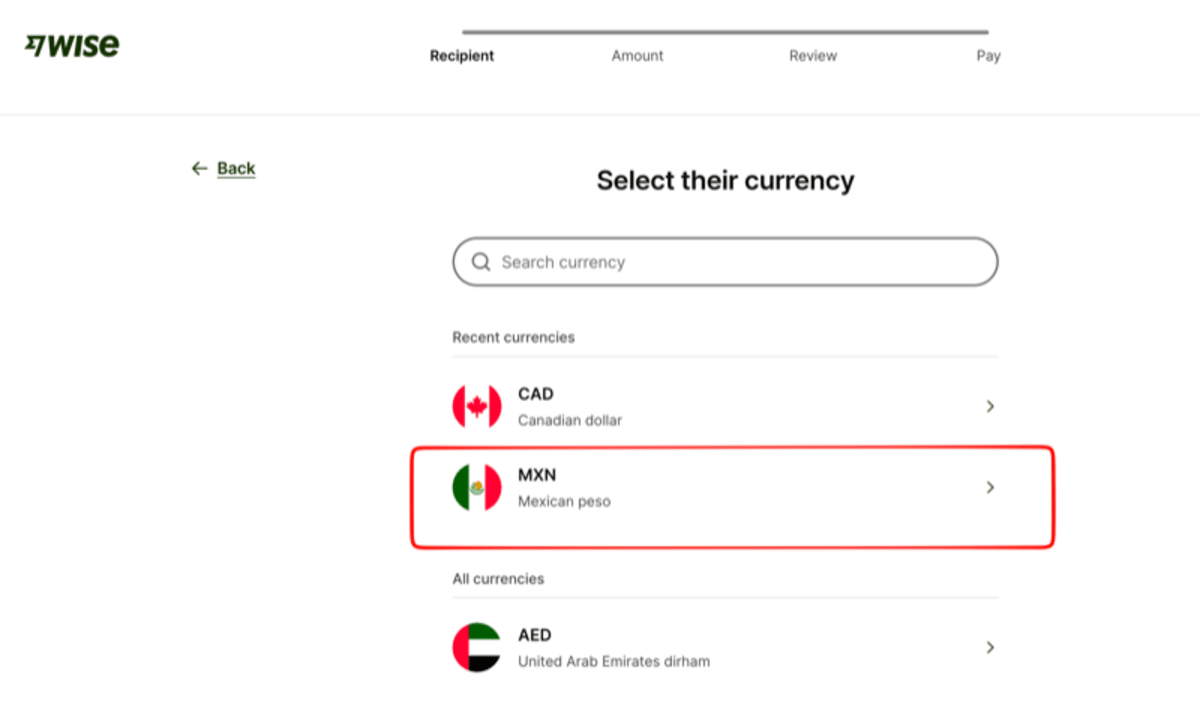
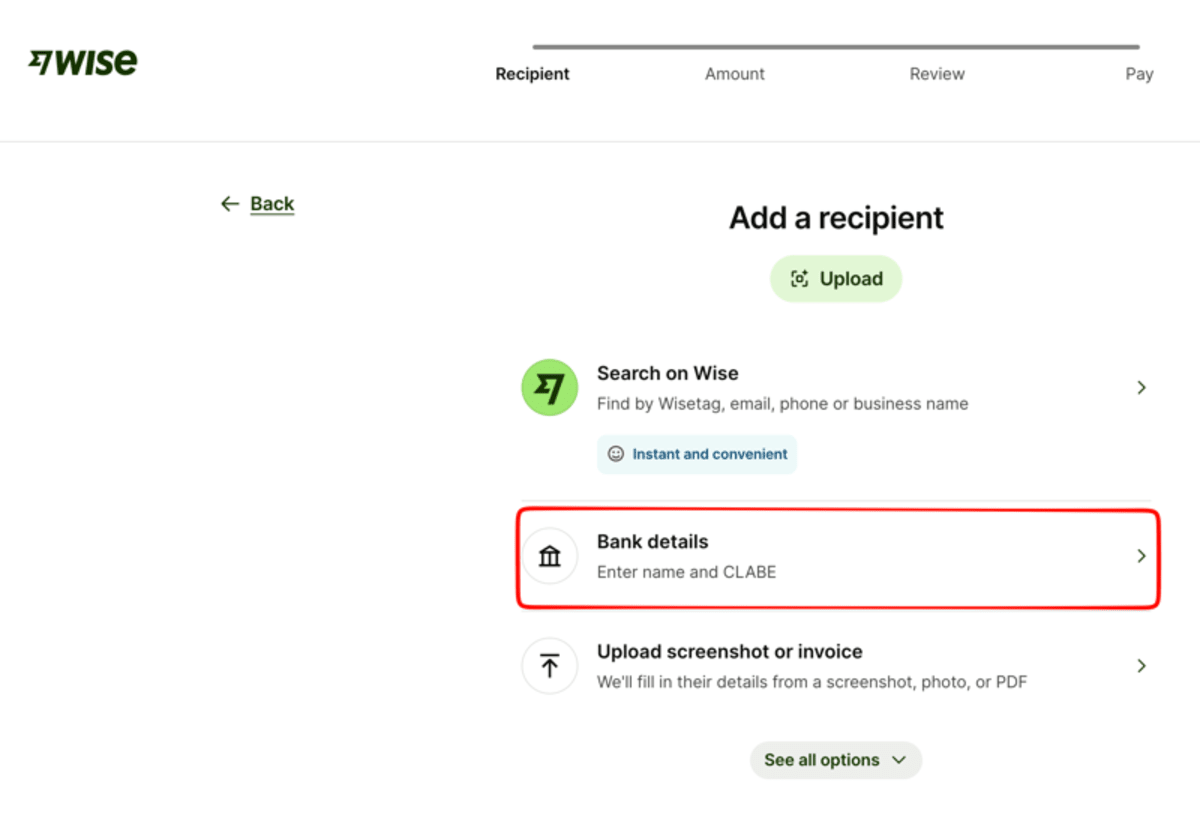
Choose “Bank details” to enter the recipient’s CLABE number:
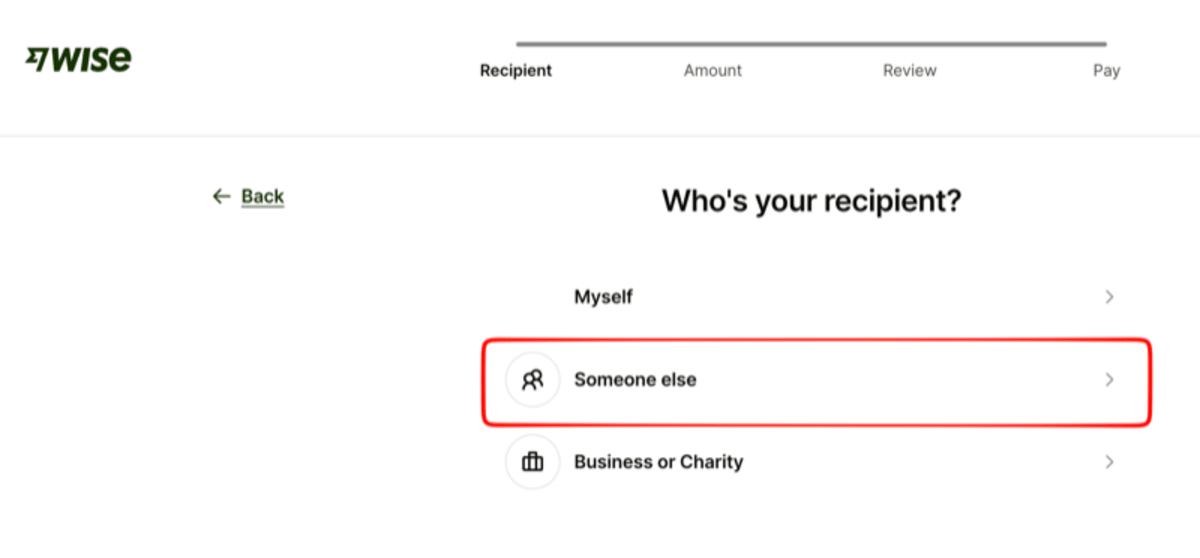
Select “Someone else” if you’re sending to another person:
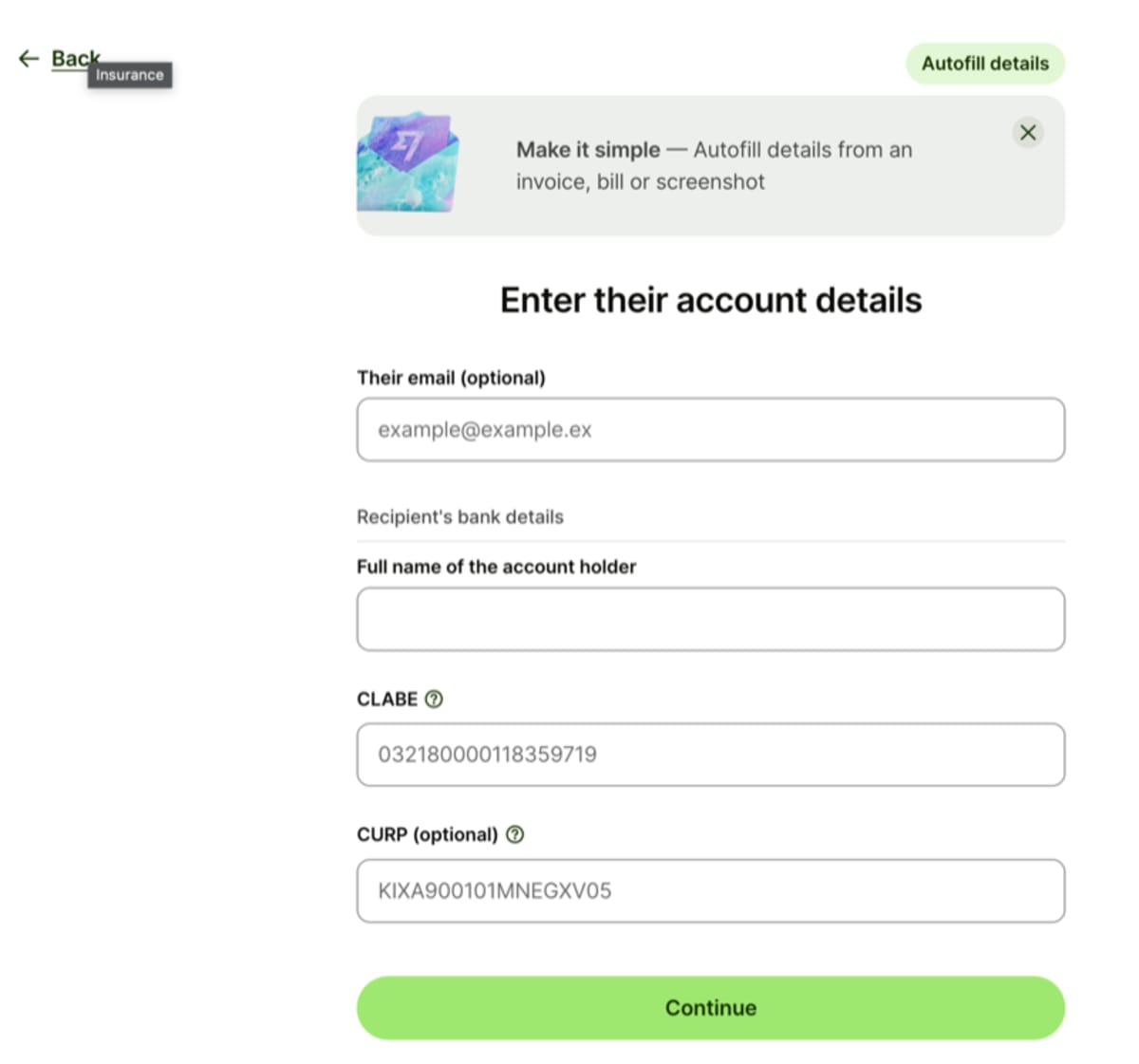
Enter the recipient’s bank details: their full name and 18-digit CLABE number.
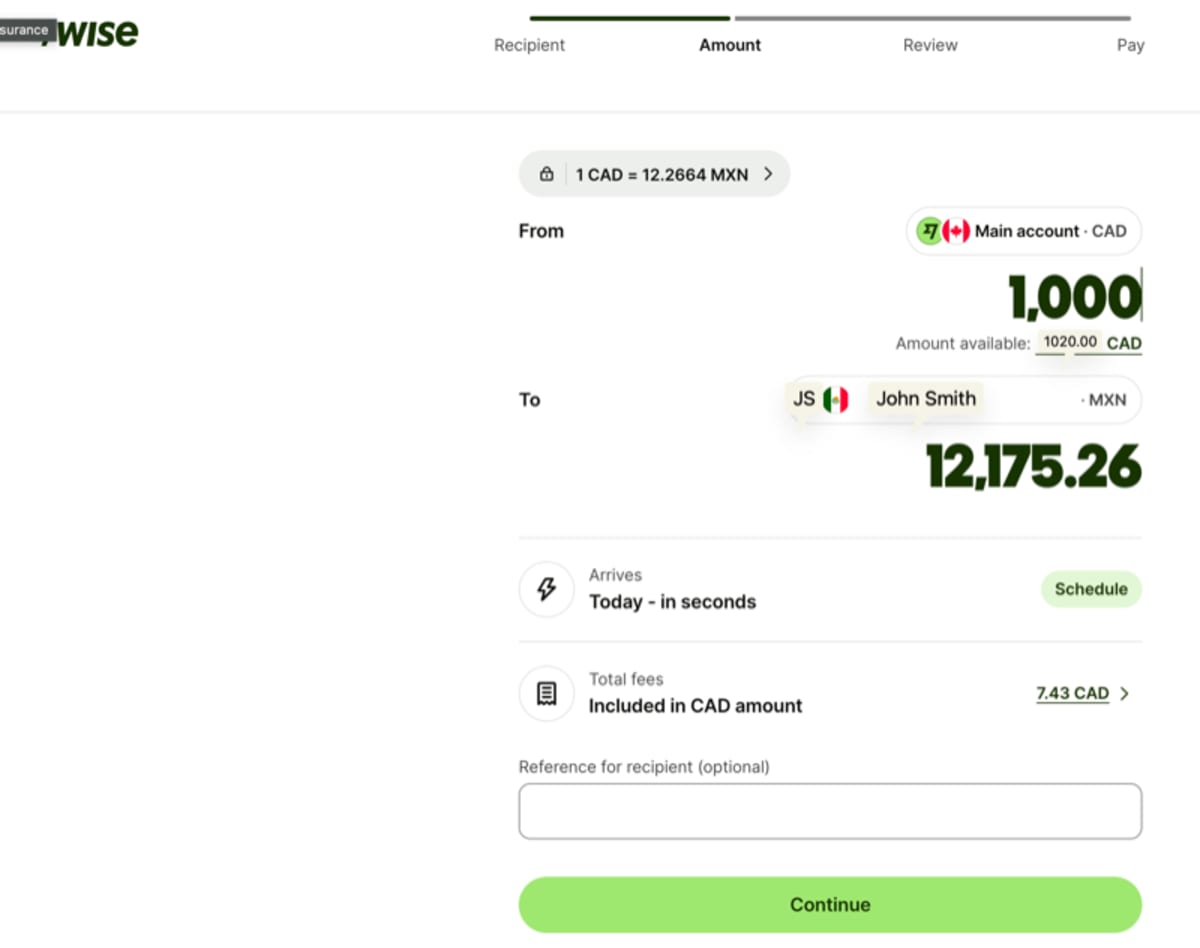
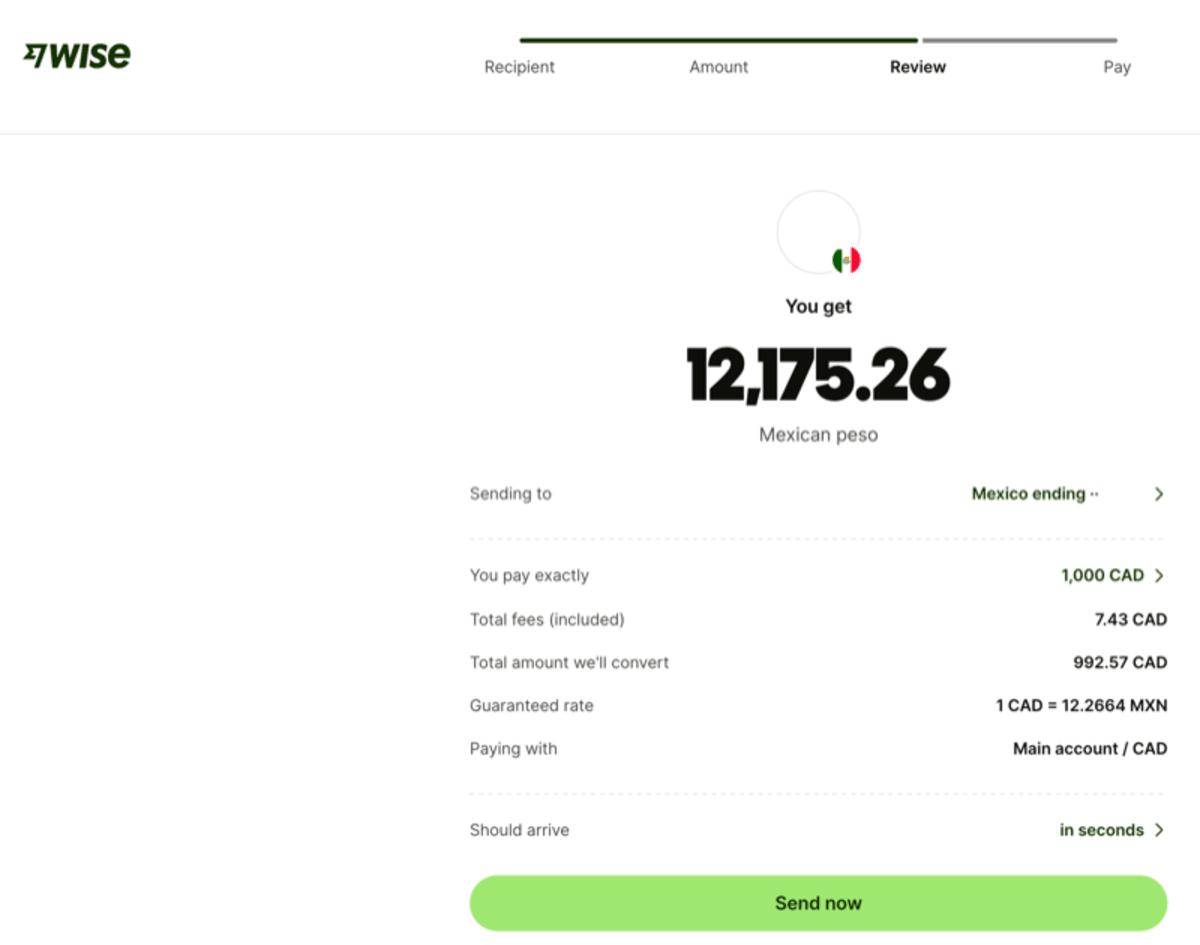
Enter the amount you want to send. Wise shows the live exchange rate and fees:
Review the transfer details before confirming:
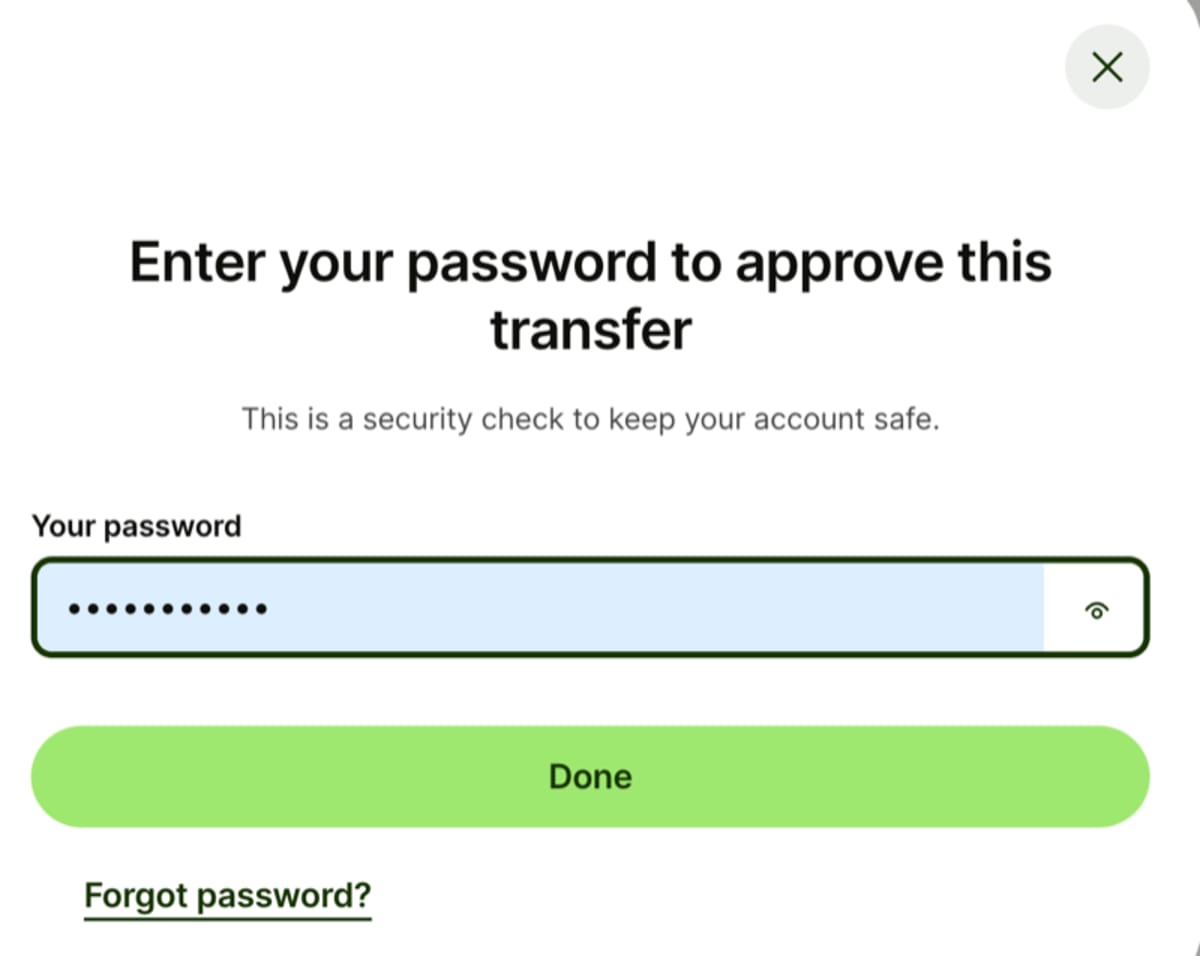
Enter your Wise password to approve the transfer (security check):
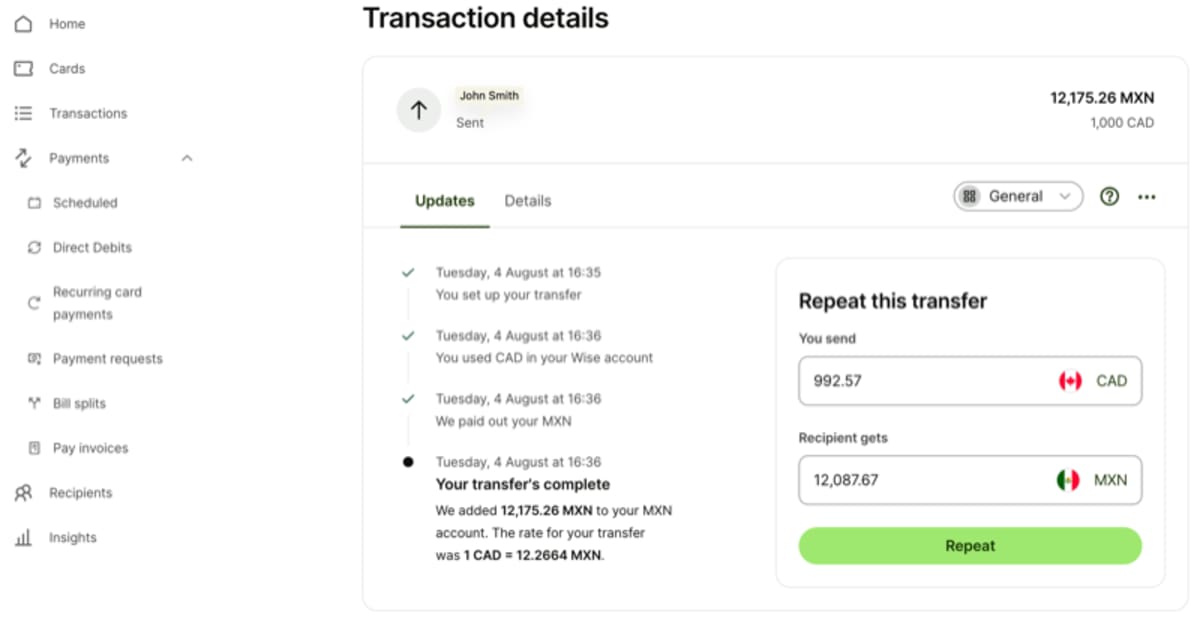
That’s it! Your transfer is complete. The recipient gets MXN deposited to their account via SPEI (Mexico’s instant payment system):
Cost Example: $1,000 CAD to Mexico
| Method | Total Cost | Exchange Rate Used |
|---|---|---|
| Big 5 Bank Wire | ~$30–40 CAD + markup | Bank’s internal rate |
| Debit/Credit Card Funding | ~$10–15 CAD + potential card fees | Mid-market |
| Interac e-Transfer + Wise | ~$5–7 CAD | Mid-market ✅ |
| EQ Bank Bill Pay + Wise | ~$6–8 CAD | Mid-market (large sums) |
Important Notes
- ⏰ Timing: Interac e-Transfer funds Wise in about 10–30 minutes. Bill pay takes 2–3 days — only use it when the amount justifies the wait.
- 🔐 Security: Your bank, EQ Bank (CDIC protected), and Wise (regulated MSB) are all secure.
- 📊 Limits: Your bank’s daily e-Transfer limit applies on the sending side (often ~$3,000/day); Wise can receive up to $25,000 CAD/day via Interac. EQ bill pay caps at $25,000 per transaction.
- 💡 Pro Tip: Register Interac Autodeposit once and topping up Wise becomes a plain e-Transfer to your own email — no request flow needed.
Bottom Line
If you’re regularly sending money to Mexico (or anywhere international), setting up Interac e-Transfer → Wise → Recipient saves you hundreds of dollars in fees and FX markups over traditional bank wires — and the funding step is now completely free. Keep EQ Bank bill pay in your back pocket for transfers above your bank’s e-Transfer limit.
Need cash abroad? Read our Best Canadian Debit Cards for International Travel guide for how we use EQ Bank and Wise at ATMs.
Living in Mexico with residency? See how we bank locally and pay our bills with Nu.
Have you tried this method? Drop your experience below! 👇
Disclaimer: This is personal experience sharing, not financial advice. Verify current fees, limits, and requirements with EQ Bank and Wise directly before proceeding.
P.S. Watch this video: YouTube